

Introduction
Recently, many users have found that accessing Codex requires phone number verification before they can continue.
Unfortunately, OpenAI does not currently support all phone number regions equally, and mainland Chinese (+86) numbers often cannot be used for verification. As a result, an overseas phone number is usually required.
Previously, the process was even more restrictive, requiring additional verification steps. After users heavily criticized the workflow and various automation attempts caused abuse, OpenAI eventually simplified the process back to standard phone number verification in many cases.
This article documents how I helped a user complete the Codex verification process using an overseas SMS receiving service, and I hope it can help others facing the same issue.
The Problem
When attempting to access Codex, the user was presented with a phone verification requirement similar to the following:
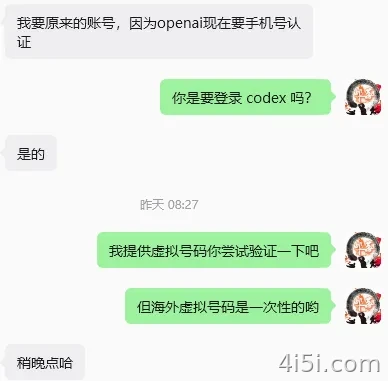
Verification Process
For this test, I used an overseas SMS receiving platform.
Step 1: Register an Account
Open the platform and create an account.
👉 Registration Link
https://hero-sms.com/?ref=384850
Step 2: Add Funds
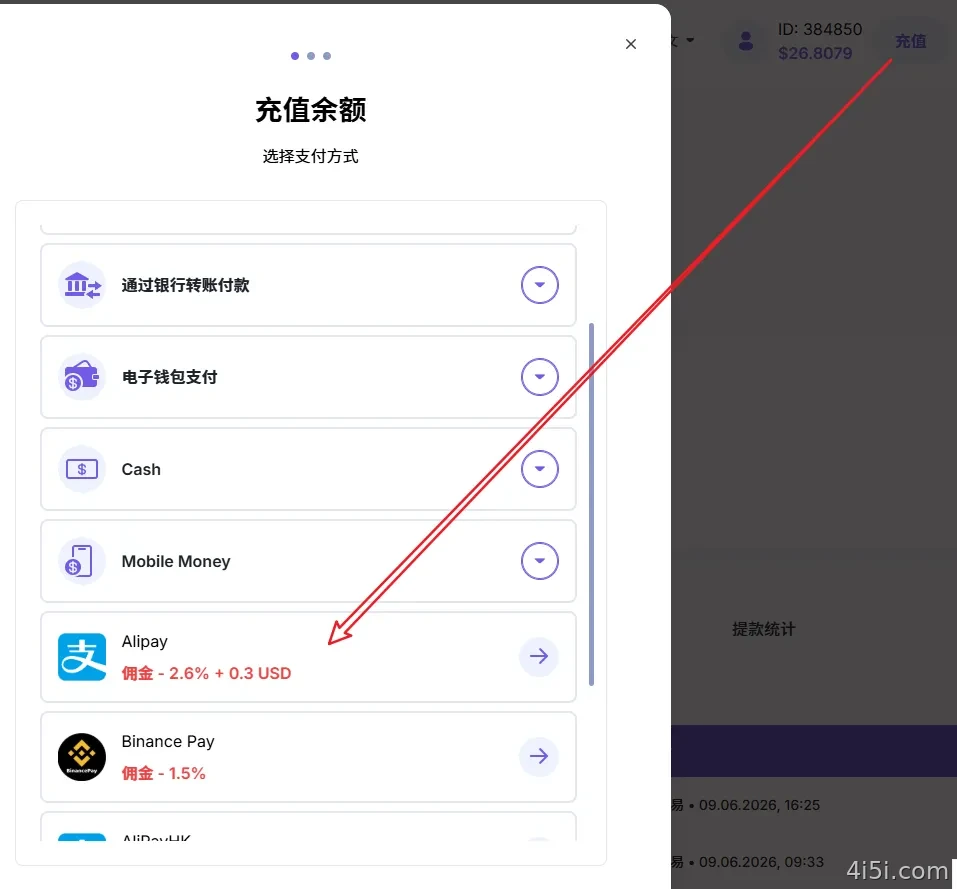
Click Top Up in the upper-right corner and choose Alipay as the payment method.
The deposit process is straightforward and only takes a few minutes.
Step 3: Select the Service
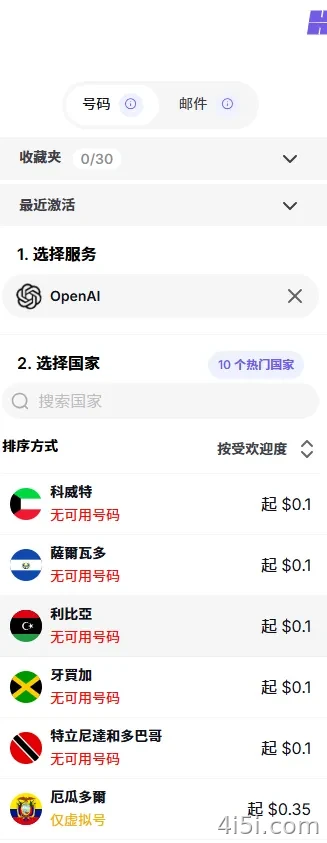
In the Select Service section, search for:
openai
Then select the corresponding OpenAI verification service.
Step 4: Choose a Country
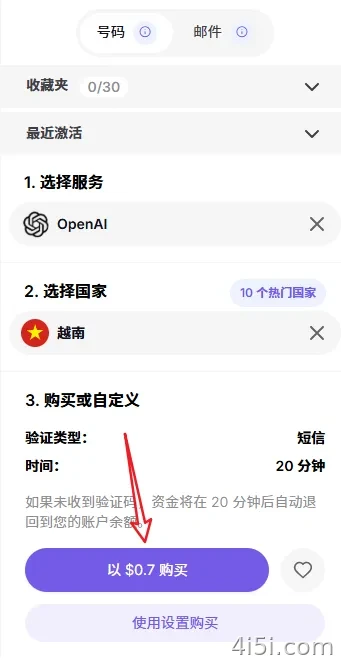
Purchase a number and try the verification process.
One important tip:
Be prepared to test multiple countries and multiple numbers.
Different IP locations and number providers may produce different results.
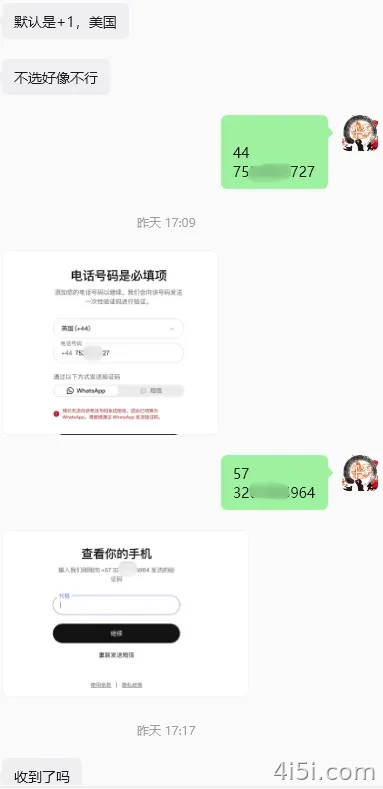
In my case, the page defaulted to a +1 US number, probably because I was using a US IP address.
The first number failed immediately.
The second number appeared unsuccessful at first because no SMS was displayed. However, after refreshing the page later, I discovered that the verification code had actually arrived.
Eventually, I tried another US number and successfully received the code.
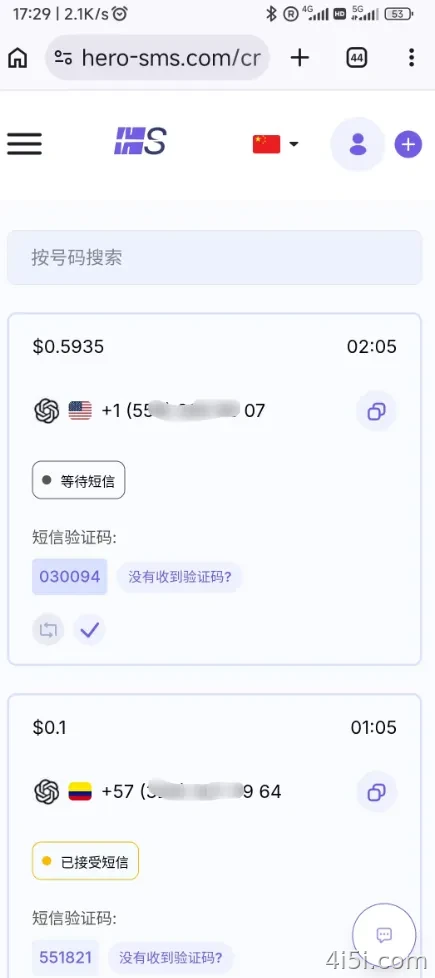
Looking back, I wasted one extra number unnecessarily.
The second number had already received the verification code. Since each number only cost around $0.10, I ended up spending about $0.60 in total during testing.
So before purchasing another number, make sure to refresh the page and wait a little longer.
Step 5: Submit the Verification Code
Once the SMS arrives, copy the verification code and return to the ChatGPT verification page.
Enter the code and complete the verification.
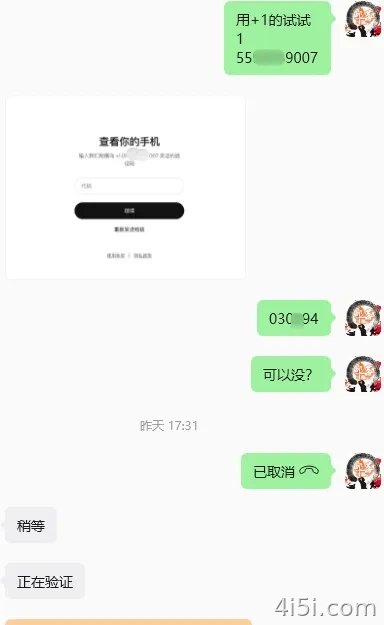
After successful verification, Codex should become available normally.
Summary
An overseas SMS receiving service can be a low-cost solution for users who do not have access to a foreign phone number.
The main advantage is cost. In many cases, completing the verification only costs a few cents.
However, this approach depends on OpenAI’s current verification policy.
If OpenAI ever restores a requirement for repeated verification using the same phone number, temporary SMS services may no longer be practical because you would need access to the original number again in the future.
For long-term use, maintaining your own overseas number is still the most reliable solution. Many users recommend giffgaff as a relatively affordable option.
If you also need international mobile data, you may want to check out my related article:
“Overseas Phone Number Without Real-Name Registration + Compliant Internet Access, Starting from $0.01 with 2GB for 3 Days”
This can be a more sustainable solution for users who frequently need overseas verification services.






暂无评论内容