

Introduction
Let me briefly explain the real value of a residential IP.
A residential IP makes your online behavior look more like that of a real local user. This can help reduce risk-control restrictions and support localized operations.
For cross-border e-commerce sellers, it can help with issues such as product listings getting little or no traffic and account association risks. For content creators, it can also help reduce problems such as videos getting zero views, being unable to follow others, being unable to like posts, or having no viewers enter live streams.
In short, the core value of a residential IP is to make your account environment look more natural and trustworthy.
Purchase
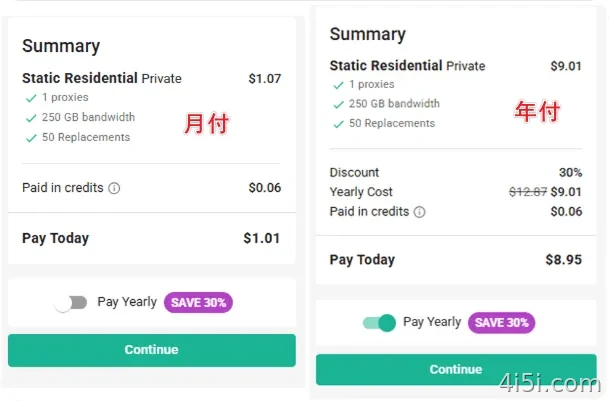
At the moment, the price can be as low as $1 per month. If you choose the yearly plan, there is also a 30% discount.
My suggestion: start with a one-month plan first. If the IP quality meets your needs, you can then switch to the yearly plan.
Step 1: Open the official website
Open the official website first:
https://www.webshare.io/?referral_code=xsf80slsto9f

Follow the screenshot and find the purchase entrance.
Step 2: Choose the proxy type
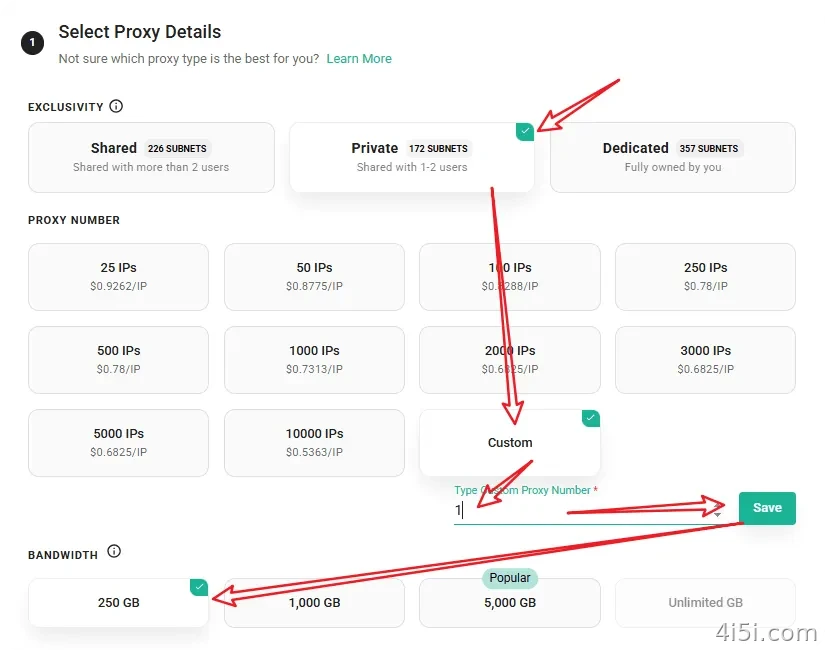
In most cases, I recommend choosing Private.
Step 3: Choose the region
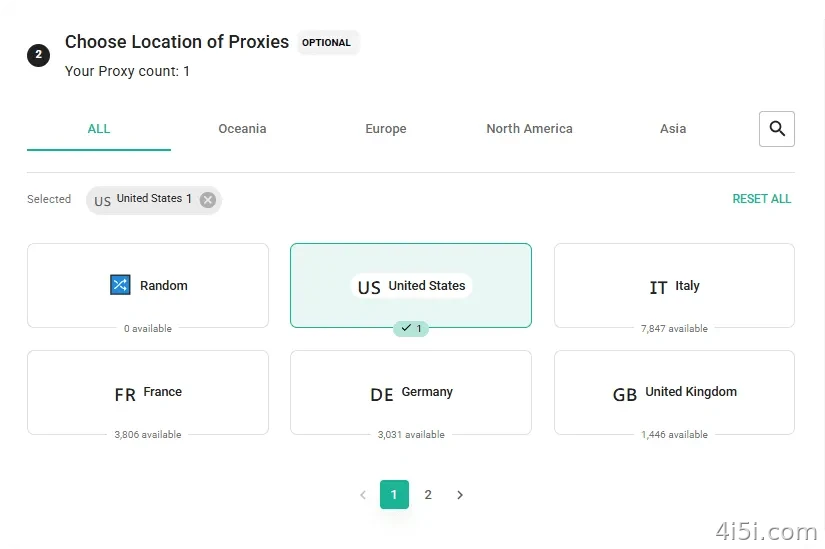
I usually choose United States.
Step 4: Choose the replacement option
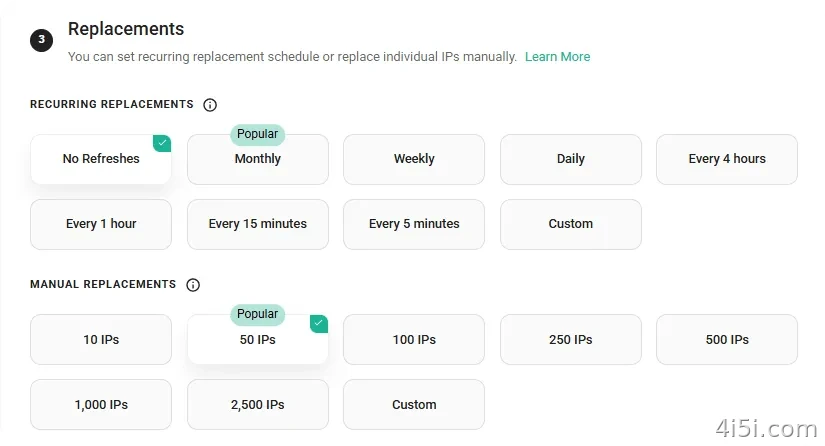
I usually choose No Auto-Replace and 50 manual replacements.
This step is quite important.
Choosing 50 replacement chances only costs an extra $0.07, but it gives you 50 chances to change the IP manually. Whether you can find a clean IP depends largely on this option.
Step 5: Advanced features
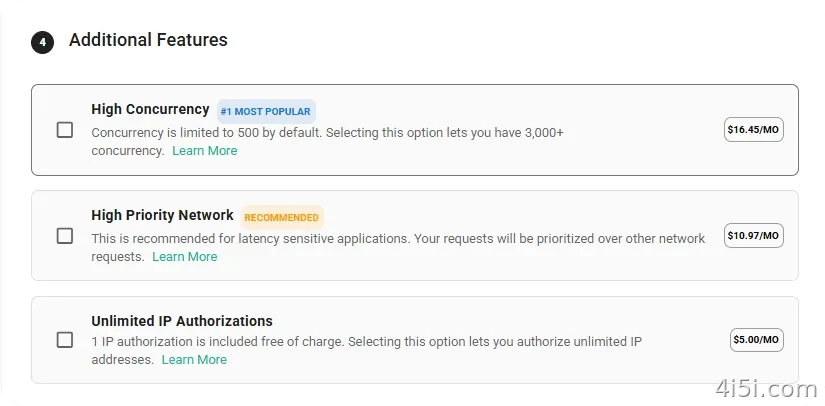
Normally, I do not select any advanced features unless there is a specific need.
Step 6: Checkout
On the right side of the page, choose either the monthly plan or the yearly plan, then click Continue.

Enter your credit card information to complete the payment.
If you do not have a credit card, you can apply for a virtual card. I previously introduced one here:
“Roogoo Virtual Card Limited-Time Offer + 1U Cashback for Opening a Card”
You can also try paying with Google Pay.
If you still cannot solve the payment problem, you can contact me for help with purchasing.
Testing
There are two ways to test the IP quality:
- Simple online testing
- More detailed script-based testing
I will introduce both methods below.
Method 1: Online Testing
1. ping0.cc
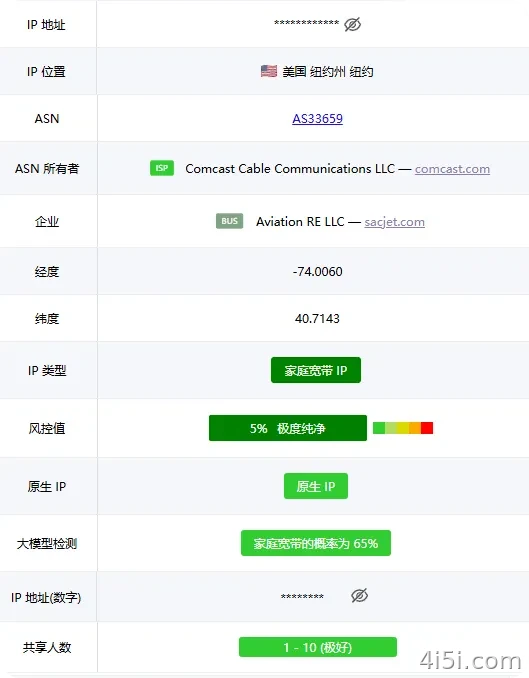
The result shows that this is a residential-style IP.
The cleanliness score is 5%, and it is detected as a native IP. The large-model detection result shows a 65% probability of being a residential IP.
However, the ISP field shows two providers. This is not a true dual-ISP residential line. In the industry, this type is usually considered a business broadband IP.
Even so, its quality is still second only to real residential IPs and better than many other types of proxy IPs.
2. ipinfo.io
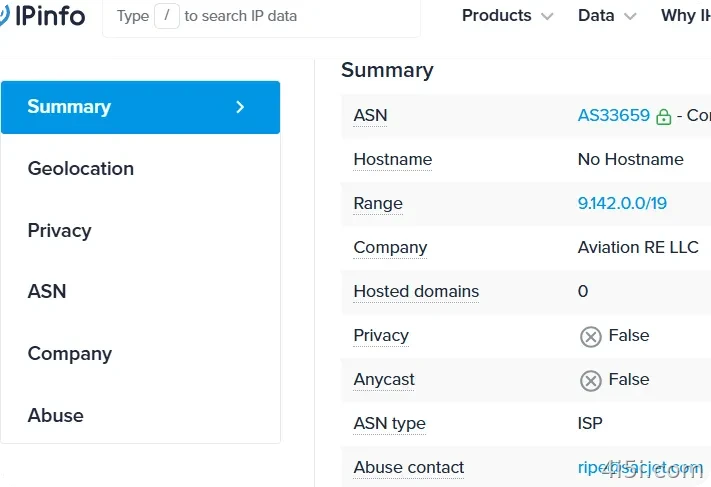
The ASN type is shown as ISP.
3. ipdata.co
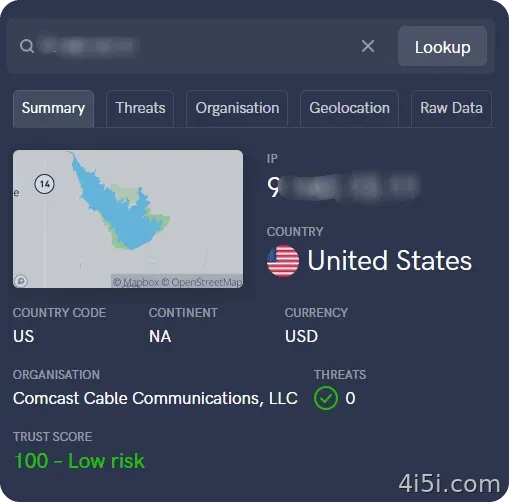
The IP looks quite clean.
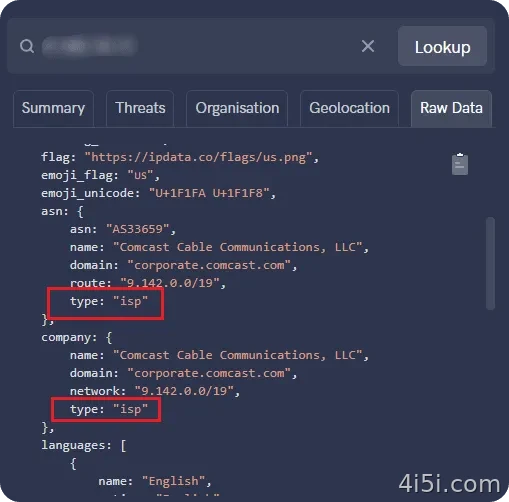
The detection result also shows a dual-ISP pattern.
4. Fraud risk check: Scamalytics
Test website:
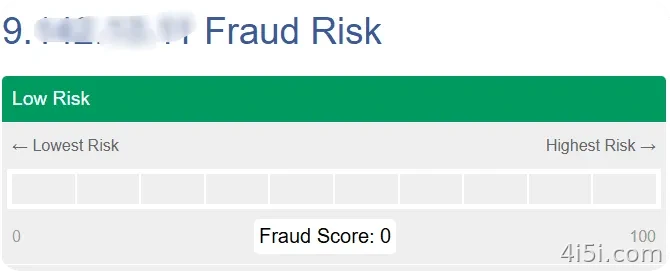
The result looks very clean.
Method 2: Script-Based Testing
This method requires a server.
After logging in to your server via SSH, run the following command:
bash <(curl -Ls IP.Check.Place) -x socks5://username:password@IP:port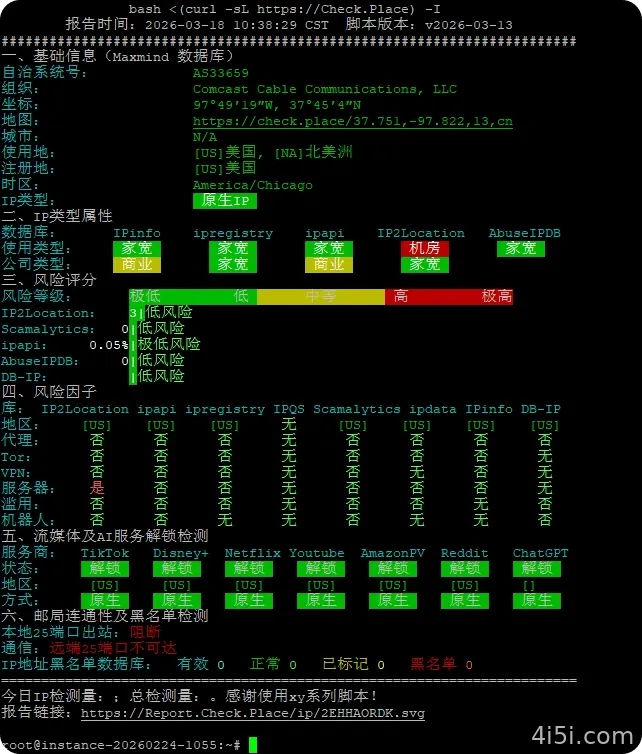
The unlocking performance is quite good, and the IP risk scores are all relatively low.
Summary
Although it cannot be guaranteed that the IP is 100% a real home residential IP, its quality is still far better than most shared proxy IPs and self-hosted VPS IPs.
At the very least, you are less likely to be affected by a heavily shared IP pool.
A higher-quality IP can help reduce many common problems, such as:
- AI services becoming restricted or downgraded
- New account registration being flagged easily
- Websites constantly showing “I am human” verification prompts
- Frequent risk-control checks caused by poor IP reputation
Overall, for the price, this type of IP is a very practical option for users who need a cleaner network environment.





暂无评论内容